Rentler
- 4.6
- Rating
- 100.00K
- Installs
- Free
- Price

 Analysis by App-foxy
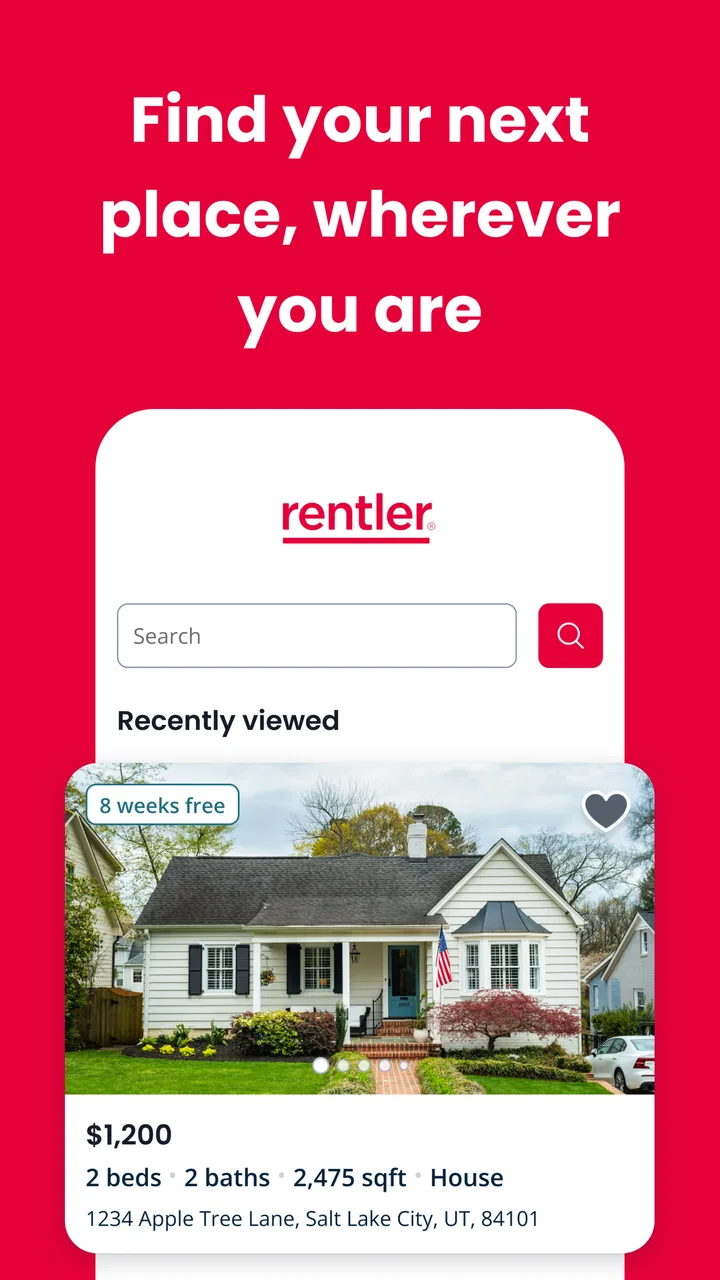
Finding a home is stressful enough without having to jump between scattered listings, messages, and notes. I tried Rentler as a mobile tool for the rental search, and my impression is that it is most useful when you want to keep the early discovery stage close at hand. It is a free House & Home app from TenantCloud LLC, aimed at helping people look for their next place while they are away from a computer.
That focus sounds simple, but it matters in everyday use. Rental searches often happen during a commute, during a lunch break, or immediately after seeing a “for rent” sign. A phone-first app can make those small moments more productive, provided it gives you enough control to judge a listing carefully rather than encouraging rushed decisions. Rentler has a solid reputation in its store presence, with a 4.7 average from around 959 ratings and more than 100K installs. Those figures suggest that many renters find the basic idea useful, although popularity alone should never replace checking a property and landlord carefully.
How Rentler fits into a careful rental search
I use Rentler as a first stop for finding rental possibilities, not as the place where I make a final decision. In this section, I’ll focus on how a careful search can stay organized from the first browse to the first conversation. The next section looks at the small settings and account choices worth reviewing before that search gets personal.
You May Also Like

 Blood Strike: 2.5 Anniversary
Blood Strike’s Loadouts Turn Every Drop Into a Tactical Gamble
A close look at Blood Strike’s custom loadouts: how fast access to signature weapons reshapes its battle royale rhythm, rewards preparation, and narrows the gap between fights.

 Pandora - Music & Podcasts
Pandora’s Music Is Easy to Start, but Harder to Recover
Pandora’s strength is its low-effort path from a seed to a station. Its weak spot is how much confidence it asks you to place in connection, setup, and quiet recovery.

 8 Ball Pool
 Is Built on Rivalries, Rematches, and Routine
A close look at the rivalries, rematches, shared routines, and unanswered safety questions that turn a quick pool match into a persistent mobile community.

 Samsung Music
’s Quiet Strength Is Playing What You Already Own
Its reach comes less from spectacle than from dependable access to a personal library. That simplicity is both the app’s strongest retention engine and its ceiling.

 AccuWeather: Weather Radar
AccuWeather Review: A Quick, Clear Forecast for Everyday Decisions
For everyday plans, the best forecast is the one you can understand quickly. AccuWeather makes rain timing, radar, and local conditions easy to act on, with a few trade-offs.

 Hill Climb Racing
Why Hill Climb Racing Still Turns Crashes Into One More Run
A tiny car, a bumpy hill and one more upgrade: Hill Climb Racing keeps resurfacing because its simple chaos makes every near-miss feel personal.
More From Our News Desk
View All News


A practical starting point rather than a complete moving service
I see Rentler primarily as a place-search companion. Its value is strongest when you are still comparing possible homes and need a convenient way to browse from your phone. It is not the sort of app I would treat as a substitute for viewing a property, reading a lease, asking direct questions, or confirming who is actually offering the home.
That distinction is important because rental platforms can make every listing look equally approachable. A clean mobile presentation can reduce friction, but it cannot verify the condition of a property for you. I would use the app to build a shortlist, then switch to a more deliberate checking process before sharing sensitive information or committing to anything.
The app is free, carries an Everyone content rating, and runs on Android devices using version 6.0 or later. Its current version is 2.7.0. Those details make it accessible to people using older Android phones, which is helpful for renters who do not have the newest device. At the same time, older hardware can make browsing images or moving between screens feel less comfortable, so a larger display may still be preferable when comparing several homes.
What I would do before opening the search
My first useful habit would be to decide the practical limits of the search before browsing: the maximum monthly cost I can genuinely manage, the areas that work for commuting, and the features I cannot compromise on. Without those boundaries, it is easy to save time on attractive homes that were never realistic.
I would also keep a small note outside the app with questions for every serious listing. Examples include what is included in the rent, which utilities are separate, how parking works, whether the advertised availability is current, and what documents are requested during an application. This makes Rentler more useful because the app becomes the place where I discover options, while my notes preserve the questions that protect me from making assumptions.
A less obvious advantage of a mobile rental tool is timing. If a suitable listing appears while I am away from home, I can inspect it immediately instead of waiting until the evening. The trade-off is that quick action can turn into careless action. I would never let the convenience of a phone encourage me to send identity documents, payment, or personal details before I know who I am dealing with.
Trust begins with what the app lets me control
For a rental app, trust is not only about how many listings appear on screen. It is also about whether I can understand what I am doing at each step. A responsible user should be able to distinguish browsing from contacting, contacting from applying, and applying from making a financial commitment. I found that this mental separation is more important than simply having a long list of homes.
When I use an app in this category, I look for visible choices around account access, communication, and the information I provide. I do not want to treat a casual search as if it automatically requires a complete personal profile. I also prefer to decide when a conversation moves forward instead of feeling pushed into an application merely because a listing catches my attention.
Rentler works best for me when I approach it with that cautious mindset. I can use it as a discovery layer while keeping control of the more sensitive parts of the process. That is a stronger approach than assuming that any listing platform has already checked every person or property on my behalf.
Account habits that reduce unnecessary exposure
If you create an account, I recommend using a password that you do not reuse on banking, email, or other important services. That is basic advice, but rental searches can involve information that becomes more sensitive as you move toward an application. Separating your rental account from your most valuable accounts limits the damage if one password is ever exposed elsewhere.
I would also review the account screens slowly rather than tapping through setup automatically. Look at which details are optional, which fields are needed for the action you want to take, and whether communication preferences are clearly presented. If you only want to browse, there is no reason to volunteer more personal information than that stage requires.
Another practical step is to keep your contact information consistent and current. A rental conversation becomes confusing when messages go to an old address or when you cannot recognize which account was used for a particular inquiry. Good account hygiene is not exciting, but it makes it easier to notice unusual activity and to close the account cleanly when the search is over.
Where privacy deserves extra attention
Rental searches naturally touch sensitive areas: where you live, where you work, your household situation, and eventually your ability to pay. I would treat every move from browsing to direct contact as a change in risk. A simple search is relatively low commitment; an application can involve far more personal detail, so I would pause before crossing that line.
I would avoid sending documents through an informal conversation just because someone says they need them urgently. First, I would confirm the property address, the identity of the contact, and the reason a document is needed. I would also ask whether there is a safer, clearly identified application process. Pressure, secrecy, unusual payment requests, or a demand for sensitive information before a viewing would be reasons for me to stop.
This is not a criticism unique to Rentler. It is a reality of online housing searches. The app can help you find an opportunity, but it cannot replace your own verification. The strongest privacy protection is often a deliberate pause: I ask what information is being requested, why it is needed now, and whether I can achieve the same step with less exposure.
A realistic everyday scenario
Imagine I am moving for a new job and have only a few weeks to find a place. During a break, I open Rentler and look through homes in areas that keep the commute manageable. I make a shortlist based on location and visible suitability, but I do not assume that a promising description answers every practical question.
For each serious option, I write down the address, the advertised terms, and the questions I still need answered. I then contact the relevant person through the available route, asking about availability, utilities, deposits, viewing times, and the application process. If the answers are vague or the contact pushes for money before I can verify the property, I remove that option instead of trying to rationalize the warning signs.
After arranging a viewing, I compare what I see with what was presented. I check the actual condition, noise, access, storage, and nearby transport. Rentler has done its job in this scenario by helping me discover and organize possibilities; the final decision still comes from inspection, questions, and a careful reading of the agreement.
How it compares with ordinary alternatives
The usual alternative is searching through a general classifieds site, local social media groups, property-management pages, or a desktop browser. Those options can sometimes reveal more local context or a wider variety of listings. They can also be less consistent, with duplicated posts, outdated information, and conversations that are difficult to track.
Rentler’s advantage is the focused experience. I can open a rental-specific tool when I am ready to search rather than filtering a broad platform built for many unrelated purposes. That focus is particularly helpful for first-time renters who want a straightforward place to begin.
A general search engine may be better when I already know the exact building, neighborhood, or management company I want to investigate. A direct property-management site may also be preferable once I have identified a building, because it can provide information specific to that operator. I would therefore use Rentler for discovery, then compare important details with independent sources instead of relying on one channel.
Social groups may be useful for local advice, but they demand more skepticism because informal posts can be inconsistent. Rentler feels more structured for the initial search, yet structure should not be confused with a guarantee. The right choice depends on the stage: broad discovery, local recommendations, direct confirmation, and formal application may each work better in a different place.
Small workflows that make the app more useful
One helpful workflow is to separate “interesting” from “ready to contact.” I would first gather a broad shortlist, then narrow it using commute, total expected cost, move-in timing, and non-negotiable requirements. Only after that would I start conversations. This prevents me from spending energy on every attractive listing and reduces the number of people who receive my contact details.
A second useful habit is to compare total housing cost rather than the headline rent alone. I would record recurring charges, likely utilities, parking, transport, and any one-time move-in costs mentioned during the conversation. A home that looks affordable in a quick search can become unsuitable once the full monthly picture is clear.
A third is to preserve a record of important claims. I would keep screenshots or notes of the advertised terms, the date I contacted someone, and the answers I received. If the details change later, I can identify the difference instead of relying on memory. This is especially valuable when I am comparing several homes at once.
Finally, I would remove or stop following options that clearly fail my requirements. A smaller, cleaner shortlist is safer than an enormous collection of half-checked possibilities. The app is easier to use when I treat it as an active decision tool, not as an endless stream to scroll through.
Who should use it, and who should look elsewhere
I would recommend Rentler to renters who want a dedicated mobile starting point, especially people searching across several neighborhoods or fitting the search around work and family responsibilities. It is also a sensible option for someone who wants to begin with a free app rather than pay for access to basic discovery.
It may be less suitable for someone who already has a trusted property manager and only needs that company’s private application process. In that case, a direct channel may be clearer and more efficient. It is also not the right tool for anyone expecting the app alone to validate a landlord, inspect a property, interpret a lease, or make a financial decision for them.
Renters who are highly concerned about sharing personal information should take the process slowly and use the app only for the level of interaction they understand. If a search quickly turns into pressure to provide sensitive documents or payment, I would step away and verify everything independently. Convenience is valuable, but it should never outrank control.
My cautious verdict after using it
Rentler is a useful, approachable way to begin a rental search on Android. I like its narrow purpose, free access, and suitability for quick searches when I am not sitting at a computer. The strong average rating and growing install base make it look established enough to consider, while the Everyone rating keeps it broadly accessible.
My recommendation comes with a clear boundary: use it to discover and organize possibilities, not as a replacement for due diligence. The most trustworthy experience is the one where I remain aware of what I am sharing, why I am sharing it, and what still needs independent confirmation. The best way to use Rentler is as a convenient search assistant while keeping the final decisions firmly in your hands.
For a renter who wants a focused first step, I would give it a try. I would keep my search criteria ready, record the details of serious listings, verify every important claim, and wait before sending sensitive information. Used that way, Rentler can save time without asking me to surrender good judgment.
FAQs for Rentler
01What is Rentler and what does it offer?
Rentler is a comprehensive platform designed to simplify the rental process for both landlords and tenants. It offers features such as listings for rental properties, application management, tenant screening services, and online rent payments. With a user-friendly interface, Rentler aims to make finding and managing rental properties easier and more efficient.
02How does Rentler ensure the security of my personal information?
Rentler prioritizes user security by implementing robust data protection measures. The platform uses encryption to protect sensitive information and regularly updates its security protocols. Additionally, Rentler adheres to industry standards for data privacy, ensuring that users' personal information is safeguarded against unauthorized access.
03Is Rentler free to use, or are there any hidden fees?
Rentler offers a variety of services, some of which are free, while others may require payment. Basic features like searching for rental properties and submitting applications are typically free. However, premium services, such as tenant screening and online payment processing, might incur additional fees. It's advisable to check the pricing details on Rentler’s website for accurate information.
04How does Rentler's tenant screening process work?
Rentler's tenant screening service provides landlords with detailed reports to help make informed decisions. The process includes background checks, credit reports, and eviction history. Landlords can request these reports from prospective tenants, who must authorize the checks. This service aims to ensure landlords find reliable and trustworthy tenants.
05Can I manage multiple properties with Rentler?
Yes, Rentler is designed to accommodate landlords with multiple properties. The platform allows you to list and manage multiple rentals, track applications, and communicate with tenants all in one place. This feature is particularly beneficial for property managers and landlords with a diverse portfolio, streamlining the management process.
Pros
- User-friendly interface simplifies navigation.
- Wide range of rental listings available.
- Customizable search filters enhance usability.
- In-app messaging streamlines communication.
- Secure payment options for peace of mind.
Cons
- Limited customer service support options.
- Occasional app crashes interrupt usage.
- Some listings lack detailed descriptions.
- Notifications can be overwhelming at times.
- No offline mode for browsing listings.

Rentler
Gallery